
Cookbooks by Sorted Food
Sorted ClubFood & Drink
4.221.00 Reviews
- Version
- 2.1.2
- Installs
- 10.00K
- Age Rating
- Everyone
Screenshots

Our Review of Cookbooks by Sorted Food
 Analysis by Appyee
I approached Cookbooks by Sorted Food as a recipe app for the everyday question of what to make, rather than as a replacement for learning to cook. Its appeal is the promise of a sizeable collection to browse when my usual dinner ideas have run thin. The app is free to download, while some in-app purchases cost money, so I’d treat it as an easy way to explore first and decide later whether any paid option suits my habits.
It is a Food & Drink app from Sorted Club, and its current version is 2.1.2. The app has an average rating of 4.2 from around 170 ratings, with over 10,000 installs. It is rated for everyone, and the listed minimum operating-system requirement is Android 7.0. Those details make it approachable for a broad range of cooks, though the Android requirement is worth checking if you use an older device.
What the current experience is best suited to
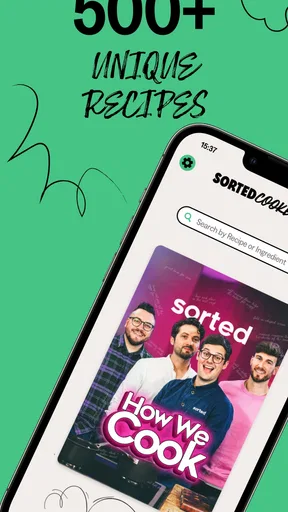
The strongest reason to open it is to get out of a recipe rut. A collection of more than 500 recipes gives me a useful starting point when I want inspiration but do not yet know what I want to eat. That is different from searching the web for one specific dish: a curated cookbook-style app is more inviting when the aim is to discover an idea, not compare dozens of near-identical results.
I would use it most when planning a few meals for the week, or when I have one ingredient to use up and need a fresh direction. It can also suit someone who is still gaining confidence in the kitchen and would rather follow a recipe than improvise. The value is less obvious if you already have a trusted collection of recipes, prefer to cook without instructions, or mainly need a specialist tool for nutrition tracking or strict dietary filtering.
How I would make it useful in a real week
Imagine getting home after work with little energy and no firm dinner plan. I would browse before opening the fridge, pick a recipe that looks manageable, then check its ingredients against what I already have. Any shopping-list function is most useful at that point: it can turn a vague plan into a short, practical list rather than leaving me to remember everything while walking around a store. I would still review the list myself, especially if I am cooking for someone with allergies or buying ingredients in a particular size.
A small habit makes recipe apps more useful: choose a dish before the day gets hectic, then check its preparation steps and ingredients early enough to spot anything that needs extra time. That matters even for an apparently simple dinner, since a recipe can involve marinating, chilling, or a less familiar ingredient. I would not assume that a quick-looking photo means the whole meal fits into a rushed evening; reading the method first is the sensible test.
The best fit is likely someone who enjoys trying different dishes and wants a guided source of ideas in one place. If your priority is a strict weekly meal plan, exact nutrition targets, or recipes tailored around a long list of exclusions, I would compare it with an app built specifically for those jobs. A general recipe collection can inspire, but inspiration and personalized planning are not the same thing.
Where it sits beside other recipe options
Compared with saving recipes from social media, a dedicated cookbook app can make browsing feel more focused and keep the cooking instructions closer to the inspiration. Social posts may be faster for spotting a trend, but they can be uneven in detail and awkward to return to while cooking. Compared with a general web search, a collection selected around one food brand may feel less sprawling, although it also gives me fewer reasons to expect every niche cuisine or dietary need to be covered.
That trade-off is worth keeping in mind before paying for anything. I would first try the free experience with a few recipes I genuinely want to cook, rather than judging it by how many ideas I can scroll past. If the recipes fit my tastes and I return to them, a paid purchase may be easier to justify; if I only browse once, the free entry point is enough to make that clear without turning cooking into another subscription decision.
Exploring the App’s Features
First off, the Cookbooks by Sorted Food app boasts a slick and intuitive interface that's a breeze to navigate. Right from the get-go, you'll notice how user-friendly it is. The home screen welcomes you with a vibrant array of categories, each begging you to dive in and discover something new. Whether you're craving a hearty comfort meal or something light and fresh, the options are plentiful.
An Array of Mouthwatering Recipes
One of the standout features is the sheer variety of recipes available. From international cuisines to classic favorites with a twist, the app covers all bases. I tried out the "Quick Meals" section, and it was a game-changer for my weekday dinners. Each recipe is detailed yet easy to follow, with step-by-step instructions that even a novice could master.
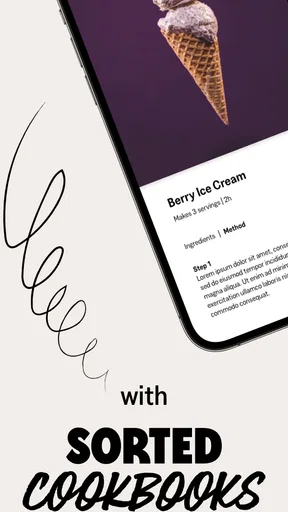
What I love most is the inclusion of stunning photos with each recipe. There's something about seeing the finished dish that just makes you want to cook it immediately. And let me tell you, the results are as delicious as they look!
An ingredient list that helps before the shop
When I am deciding whether a recipe is realistic, I find it useful to compare its ingredient list with what is already in my kitchen before committing. That quick check helps prevent an appealing picture from turning into an unnecessary shopping trip. If I am missing only a couple of items, I can add them to a list; if the recipe calls for several ingredients I rarely use, I can save the idea for a day when I am planning a bigger shop.
This is also a practical way to reduce waste. I can look for recipes that make use of something already open in the fridge, then buy only what complements it. A recipe app cannot know what is about to expire in my kitchen, so I still need to make that judgment myself. Used this way, the collection is a source of options rather than a rigid meal plan.
Seamless Shopping List Integration
Another nifty feature is the app’s ability to create a shopping list directly from the recipes you choose. This has saved me countless trips back to the store for forgotten ingredients. You can add items to your list with a simple tap, and it’s organized by grocery section, making your shopping trip as efficient as possible.
Lists are most helpful when I build them around a specific cooking plan instead of adding ingredients as I browse. Before leaving home, I would scan the list once for quantities and duplicates, particularly if two selected recipes use the same basic ingredient. That extra check is a simple safeguard against buying twice or arriving home with an item in the wrong form.
I would also treat the list as a memory aid, not an automatic guarantee that every shopping detail is settled. Pantry staples, package sizes, and personal substitutions still need a human check. For a casual cook, that is a small amount of effort; for someone coordinating meals for a household with strict restrictions, it is important not to rely on a general list without reviewing every ingredient.
Community and Interaction
One of the things that sets this app apart is its community aspect. You’re not just cooking in isolation; you’re part of a vibrant community of food lovers. You can share your culinary creations, get feedback, and even swap tips with others. It’s like having a global dinner party at your fingertips!
The app also features interactive videos and tutorials. So, if you're more of a visual learner, this is a fantastic way to pick up new skills or refine your technique. I found the videos on knife skills particularly enlightening.
For me, a tutorial is most valuable when I watch it before I start chopping, rather than pausing midway through a recipe with messy hands. I would use a short technique lesson to understand the motion or preparation first, then return to the written steps while cooking. That approach makes video guidance a useful companion instead of something that interrupts the flow of dinner.
Community interaction can add encouragement, but I would keep expectations practical: other cooks’ results and tips are inspiration, not a substitute for the recipe instructions or food-safety judgment. If I share a finished dish, I would focus on what I changed and how it worked, since that is more useful to another home cook than a photo alone. People who prefer a quiet, private cooking tool may not care about this social side, and they can still use the recipe-focused parts without treating interaction as the main attraction.
Version history, without guessing at changes
The app’s current version is 2.1.2, and it was released on May 22, 2019. That gives me a concrete point of reference for the product’s history, but a version number alone does not tell me which features changed or how the app has evolved. I would not assume that a particular screen, recipe, or community tool was added in a specific update without a clear change record.
For an existing user, the practical question is whether the current app continues to fit their routine: can they find recipes they want to cook, follow the instructions comfortably, and use the shopping support in a way that saves effort? A new user can make the same judgment by trying a handful of recipes rather than expecting a version label to promise a particular redesign. In a recipe app, dependable access and clear instructions matter more to my week than a long list of changes whose everyday value is unclear.
Details worth checking before relying on it
Recipe browsing is only the first part of choosing an app. If you cook for someone with allergies, follow a particular diet, or need precise serving adjustments, inspect each recipe carefully before shopping. I would not treat a broad collection as proof that every dietary requirement is supported, and I would avoid making substitutions casually when an ingredient affects the recipe’s structure.
Likewise, people who need dependable offline access should test their own routine before planning around the app. Open a recipe while connected, then see whether it remains available in the situation where you expect to cook; do not assume that every feature works without a connection. This is especially relevant if you like to cook in a kitchen where you keep your phone away or have unreliable reception.
Storage and organization also shape long-term usefulness. If you tend to save more recipes than you cook, make a point of choosing one or two for the coming week instead of letting a growing collection become another place to browse without deciding. The app works best for me when browsing ends with a concrete next step: a dish selected, ingredients checked, and a realistic night chosen to make it.
Personal Thoughts and Experience
I’ve been using the app for a few weeks now, and it’s genuinely transformed how I approach cooking. I’ve tried dishes I never would have considered before, and my friends and family have been raving about my newfound culinary prowess. It's not just about following recipes; it's about discovering a passion for cooking that I didn’t fully realize I had.
For those wondering about accessibility, the app is available on both Android and iOS, making it accessible to a wide range of users. Plus, the basic version is free, with premium features available for a small fee.
There is one point I would keep in view when deciding whether it is right for you: the app’s overall rating is 4.2, based on around 170 ratings, while it has received a couple of dozen written reviews. Those numbers offer a little context, but they cannot predict whether its recipes match your taste or cooking style. I would use the free access to test that personal fit before spending money on any in-app purchase, which ranges from around $5 to $55 per item.
So, if you're ready to spice up your meals and explore a world of flavors, give Cookbooks by Sorted Food a try. It’s more than just an app; it’s a gateway to a whole new culinary adventure.
My recommendation, and what I would watch for
I would recommend it to curious home cooks who like visual inspiration, benefit from clear recipe steps, and want a shopping list to connect browsing with an actual meal. It is less compelling for cooks who already have a well-organized personal recipe system, need specialized dietary controls, or want a tool centered on nutrition and meal scheduling rather than discovering dishes.
Before settling into it, I would test one recipe on a normal weeknight and another when I have more time. That gives a fairer picture than choosing only the most attractive recipe: one tests whether the instructions suit a busy evening, while the other shows whether the app can encourage a more ambitious meal. I would also check how the shopping list handles the ingredients I actually buy and whether the recipes feel worth returning to.
What I would watch over time is straightforward: whether the app remains easy to use on your device, whether its recipe collection continues to give you fresh ideas, and whether any paid option offers enough value for your own cooking habits. Those are the details that turn a promising browse into a dependable kitchen routine. For now, I see it as a welcoming source of inspiration, with the best results coming when I choose recipes deliberately and bring my own judgment to the ingredients and timing.
Verdict
Strengths of Cookbooks by Sorted Food
- User-friendly interface for easy navigation.
- Diverse range of recipes for all skill levels.
- High-quality videos enhance cooking experience.
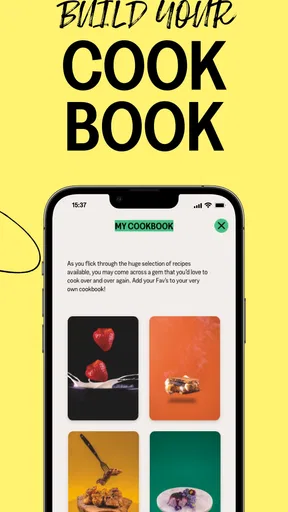
- Option to save favorite recipes for quick access.
- Regular updates with new and seasonal recipes.
Limitations of Cookbooks by Sorted Food
- Requires account for personalized features.
- In-app purchases for premium content.
- Limited offline access to recipes.
- Occasional ads disrupt user experience.
- Some features require stable internet connection.
Other Releases by Sorted Club
View All
Sidekick by Sorted Food
Food & Drink4.3
Similar Picks in This Category
View All
Rappi: Food Delivery, Grocery
Rappi, Inc - Delivery3.5

McDonald’s: Cupons e Delivery
Arcos Dorados4.3

Swiggy: Food Instamart Dineout
Swiggy4.7

Blinkit: Groceries & more
Blinkit4.8

foodpanda: food & groceries
Foodpanda GmbH a subsidiary of Delivery Hero SE4.0

Zomato: Food Delivery & Dining
Zomato4.7
Frequently Asked Questions
What is Cookbooks by Sorted Food?
Cookbooks by Sorted Food is a digital platform that offers a variety of interactive cookbooks, featuring recipes curated by the Sorted Food team. The app provides detailed instructions, video tutorials, and tips to help users improve their culinary skills. It's designed for both beginners and experienced cooks looking to expand their recipe repertoire.
How do I navigate the Cookbooks by Sorted Food app?
The app features a user-friendly interface with easy navigation through various sections. Users can browse cookbooks by categories, search for specific recipes, and access video tutorials. Each recipe includes step-by-step instructions, ingredient lists, and cooking times to make the cooking process straightforward and enjoyable.
Is there a subscription fee for using Cookbooks by Sorted Food?
Cookbooks by Sorted Food operates on a subscription model, offering users access to all content for a monthly or annual fee. There may be a free trial period available for new users, allowing them to explore the app's features before committing to a subscription. Pricing details are available on the app's download page.
Can I access Cookbooks by Sorted Food offline?
Yes, users can download recipes and entire cookbooks for offline access. This feature is particularly useful for those who want to cook without internet access or when traveling. Simply download the desired content while online, and it will be available for use offline at your convenience.
What devices are compatible with Cookbooks by Sorted Food?
Cookbooks by Sorted Food is available for both Android and iOS devices. Users can download the app from the Google Play Store or Apple App Store, ensuring compatibility with a wide range of smartphones and tablets. Regular updates are provided to enhance functionality and user experience.
